Know what your PC is doing online, every second.
DU Meter is a bandwidth monitor for Windows that shows your Internet speed and how much data each app uses. It warns you before you go over your data cap.
DU Meter 10, released November 13, 2026, runs on Windows 11, Windows 10 and Windows Server. Already have DU Meter? Upgrade to version 10 at a discount.

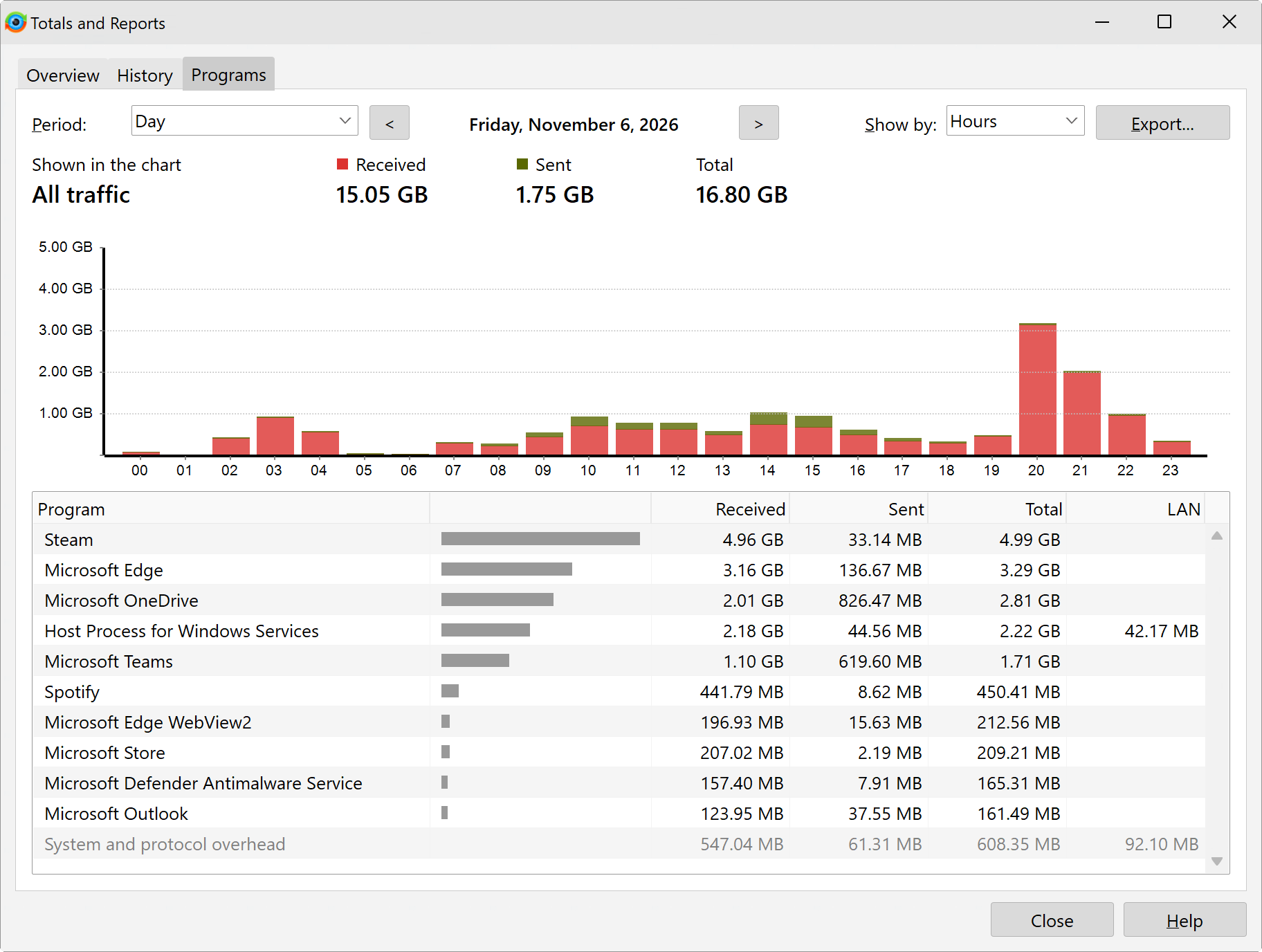
See which apps used up your data
DU Meter counts every app's traffic, hour by hour. Pick any day or hour in Totals and Reports and see how much data each app used.
Ask your AI assistant about your Internet usage
DU Meter 10 comes with an MCP server. Connect it to Claude Desktop or another AI assistant and ask in plain words. The assistant can then query DU Meter and combine your statistics with what it knows about the world: what an app is, why it uses data, and which setting stops it. This feature is off by default, and it shares statistics, never the contents of your traffic.
You: Check my calendar, I'm taking this laptop to Tokyo next week. Will a 10 GB eSIM last?
Assistant:
- Calendar search events: Tokyo
- DU Meter get_traffic_history: last 30 days, by day
- DU Meter get_top_programs: last 30 days
- Calendar list events: the next two weeks
Not at your current pace, but it can if you turn off a few background apps first.
Your calendar has “Trip to Japan”, Monday to Friday. This laptop uses about 4.5 GB a day, so 10 GB runs out on day 3. Most of it is background: OneDrive 2.1 GB a day, Steam 0.9, Windows services 0.55. Edge, Teams and Spotify use about 0.9.
Before you leave, set the eSIM as a metered connection, which pauses Windows Update and OneDrive, and put Steam in offline mode.
That is about 4.5 GB for the trip, with more than half of the 10 GB to spare.
The original bandwidth meter for Windows
From the same small, independent company since 1997, with paying customers in over 200 countries.