What's new in DU Meter?
January 19, 2012 ::
What's new in DU Meter 5.26?
This is an emergency update to fix one issue in the installer, which prevented a successful install of DU Meter on some computers.
January 18, 2012 ::
What's new in DU Meter 5.25?
- Incorrect help file shortcut in Start menu fixed.
- Windows Sidebar gadget files were not installed properly on 64-bit systems.
- Numerous localization corrections and improvements.
- Optimized logging engine reduces overall computer resource usage.
- New bug reporting engine helps will help us resolve bugs faster.
- Several typos and other minor bugs fixed.
September 12, 2011 ::
What's new in DU Meter 5.20?
DU Meter is available now in 5 languages: English, French, German, Spanish and Russian, which may be
selected at the outset of the installation process. This new version also includes several bug fixes and optimizations.
The update is free for all registered DU Meter 5.x users.
January 14, 2011 ::
What's new in DU Meter 5.04?
- Taskbar band settings were not retained after a reboot - fixed.
- Statistics collection driver optimizations to lower system resources consumption.
- Several minor bug fixes and improvements.
December 29, 2010 ::
DU Meter for Android has been released.
We are happy to announce the first public release of DU Meter for Android. If you own an Android
mobile phone or tablet, you can get DU Meter for Android for just $3.95 from Android Market.
August 31, 2010 ::
What's new in DU Meter 5.02?
- Minor bug fixes, compatibility updates and cosmetic improvements.
- Better compatibility with non-ASCII user names.
- New "check for new version" component.
August 19, 2010 ::
DU Meter 5.01 has been released.
This is the first release in the 5.x series.
Most important features in DU Meter 5.0
-
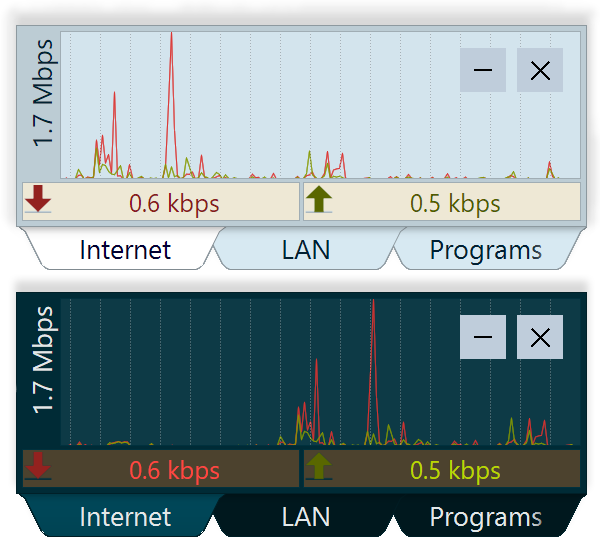
DU Meter can discriminate between Internet and local LAN traffic, and monitor either of them. It can figure out what is Internet and what is LAN
traffic automatically, or you can supply a list of IP subnetworks you wish to monitor or ignore.
-
If your networking traffic is not free (or it starts to cost you over a certain monthly limit), DU Meter can calculate and display total cost of traffic
during this billing period. Peak/off-peak rates are supported too.
-
DU Meter can terminate all network connections as a result of an alert condition being met. E.g. you can specify that if monthly or daily traffic is
over a certain limit, no more network traffic will be initiated.
-
Alerts may be based on current monthly charges.
-
Many bug fixes and improvements in stability and robustness - DU Meter can automatically recover now from database corruption (extremely rare).
-
Still light system resources usage: Despite all these improvements, DU Meter still takes very little system resources
Display improvements
-
Explorer deskband mode - DU Meter can attach itself to Windows taskbar for unobtrusive and prominent display.
-
Full support for 64-bit Windows - including Sidebar and Windows taskbar integration.
-
Several new types of graphs available, in addition to DU Meter "classic" mode.
-
Numerical display can show either current throughput values, or total monthly traffic, or monthly charges (network traffic costs).
-
Sub-pixel anti-aliased drawing for more visually pleasing display.
-
Numerical display is highlighted if alert condition is in effect.
-
"Click-through" mode - DU Meter window is visible and semi-translucent, and all mouse clicks go to the application below.
Reporting improvements
-
Reports network data transfer costs if configured.
-
Report file names can be automatically based on computer name or current date.
-
Many other improvements and bug fixes.
DU Meter 4.x updates history is also available for your reference.
Upgrade Information
If you are a registered user of a previous version of DU Meter, we would like to remind you that this major upgrade is not free for
everyone, and your serial number will not be accepted. You can
purchase an upgrade license
online, and deep discounts are available to our loyal users. You may also qualify for a free upgrade if you purchased DU Meter recently. You may also revert to
the previous version if you so choose.
To upgrade from any previous version of DU Meter, it is sufficient to simply install the latest version on top of the previous one, without uninstalling. DU Meter will import
accumulated statistics and retain user options.